Troov
Promoting Safety and Connection for Troov’s Beta Launch
Methods
Competitive Analysis
Survey
Semi-structured interview
Demo-based feedback session
Usability Testing
Heuristic Evaluation
Role
Lead UX Researcher
Team
1 UX researcher (Jason Gao)
2 UX designers (Madison Steinau, Shareen Chang)
Duration
Aug 2024 - Dec 2024 (5 months)
Overview
Background
Business goal
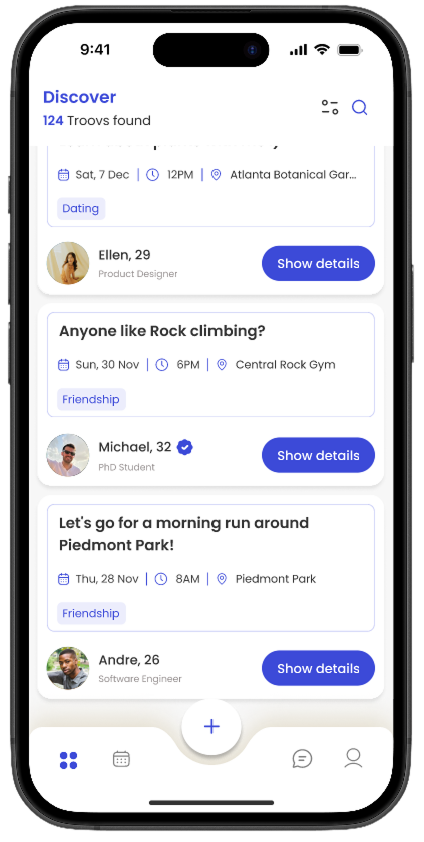
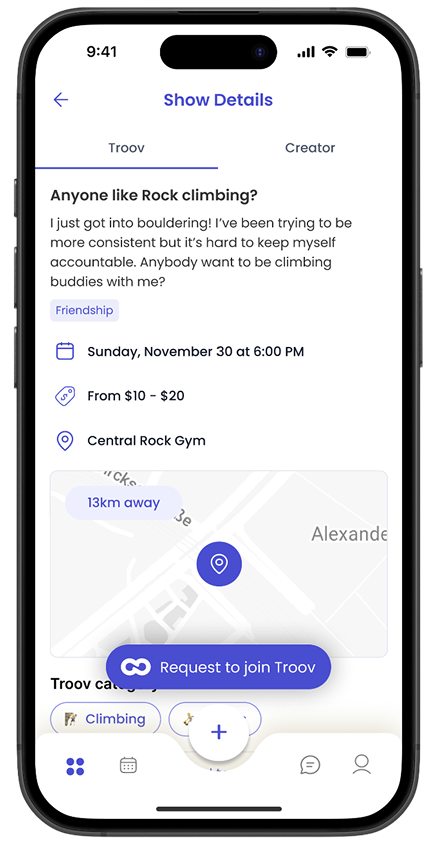
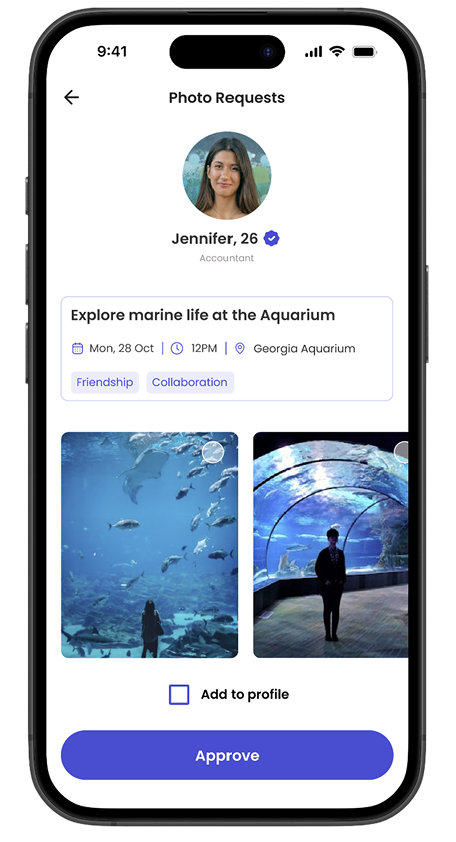
Troov is a meet-up app built around doing one-on-one and in person activities together, which promote genuine shared experience rather than endless messaging. At pre-launch, its biggest hurdle was trust: meeting a stranger in person feels risky, and if the beta didn't signal safety and authenticity from the very first interaction, it wouldn't win enough early users to launch successfully.
→
Project goal
Over 16 weeks, our team partnered with Troov to study and redesign the beta experience so it feels genuinely safe, such as easing the anxiety of meeting someone new, reassuring users that people are who they say they are, and ultimately helping more matches move from chatting online to actually meeting up.
↙
Problem Statement
How might we foster a safe environment on Troov to increase the conversion rate from chatting phase to in-person meet-ups?
↓
Research questions:
RQ1: What shapes people's sense of safety when meeting someone new, and what would make them feel more comfortable doing so?
RQ2: What prevents people from forming genuine connections on existing meetup apps, and where can Troov do better?
RQ3: How do people use the Troov Beta app, and where do they hit usability friction?
RQ4: To what degree do the redesigned interfaces address users' safety concerns and help them build authentic connections?
Discovery Research
Competitive analysis
-
We wanted to benchmark safety features across competing dating and meetup platforms, map their market positioning, and identify the safety gaps Troov is uniquely positioned to fill.
-
This method allow me to learn which safety features users already expect as standard.
It enables me to study established safety patterns and pinpoint where Troov can build a unique, safety-led value proposition.
-
A comparison table can oversimplify features that look alike but differ in nuance.
The table doesn't capture contexts of use.
No qualitative data on how users actually use these features.
-
Verification is a must-have industry standard for Troov.
A real-time emergency panic button could set Troov apart from other competitive apps.
-
I would pair the matrix with interview data and reviews from Reddit to validate which safety features users value and how they use them.
I would look beyond dating and meetup apps (e.g., rideshare apps) for safety functions worth adapting.
Survey
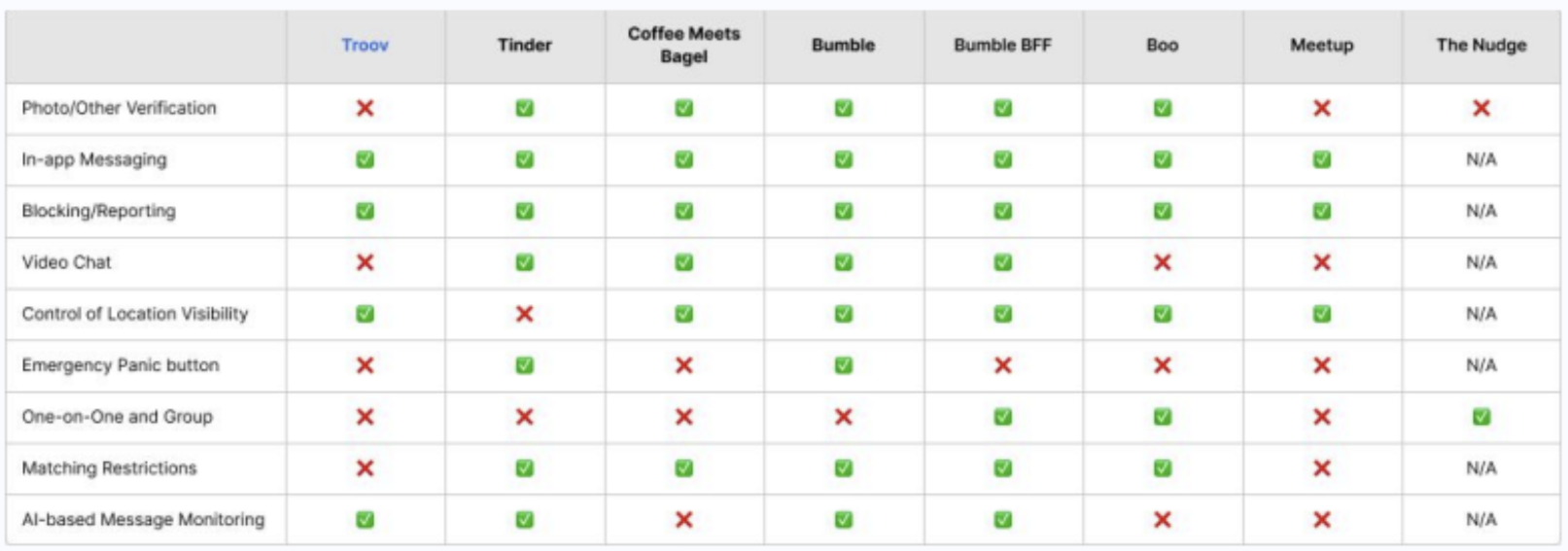
Safety feature comparison table
-
We wanted to gain insights into general DMA usage and goals.
We could also identify safety practices and concerns on a broadly level.
We wanted insights to sustain high reliability whilst reducing interviewer bias.
-
To receive responses from a larger poll with lower effort.
Easier to analyze and find pattern with multiple-choice questions.
-
The answers may be influenced by social desirability bias, meaning they selected the safety practices they should take, not necessarily what they did.
-
Users prioritize physical autonomy in a first meeting. Of those who met in person (n=22), almost all chose a public location (20), then self-arranged transport and telling a friend.
Feeling safe came equally from a profile that seems genuine (14) and a public, safe meet-up location (14).
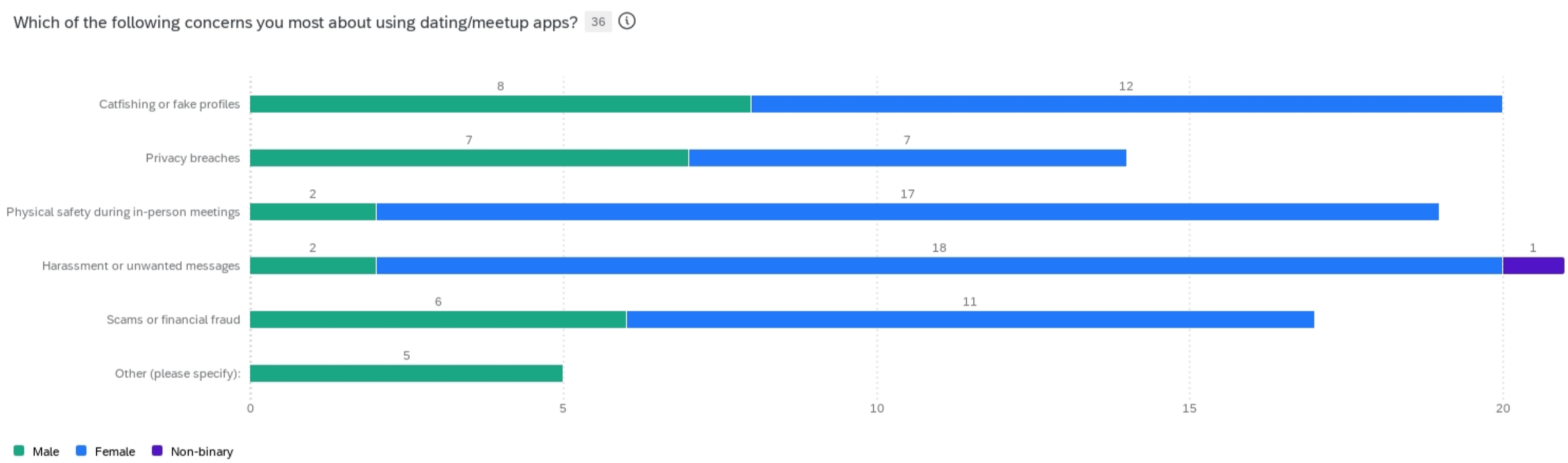
Concerns centered around malicious messages (21), fake photos (20), and physical safety (19).
Messaging behaviors (95%) is the most helpful practice to understand how someone behaves in real life, helping assess safety.
-
Refrain from questions on gathering their opinion on features.
Cut down some demographic questions and some options for multiple-choice questions to increase response rate.
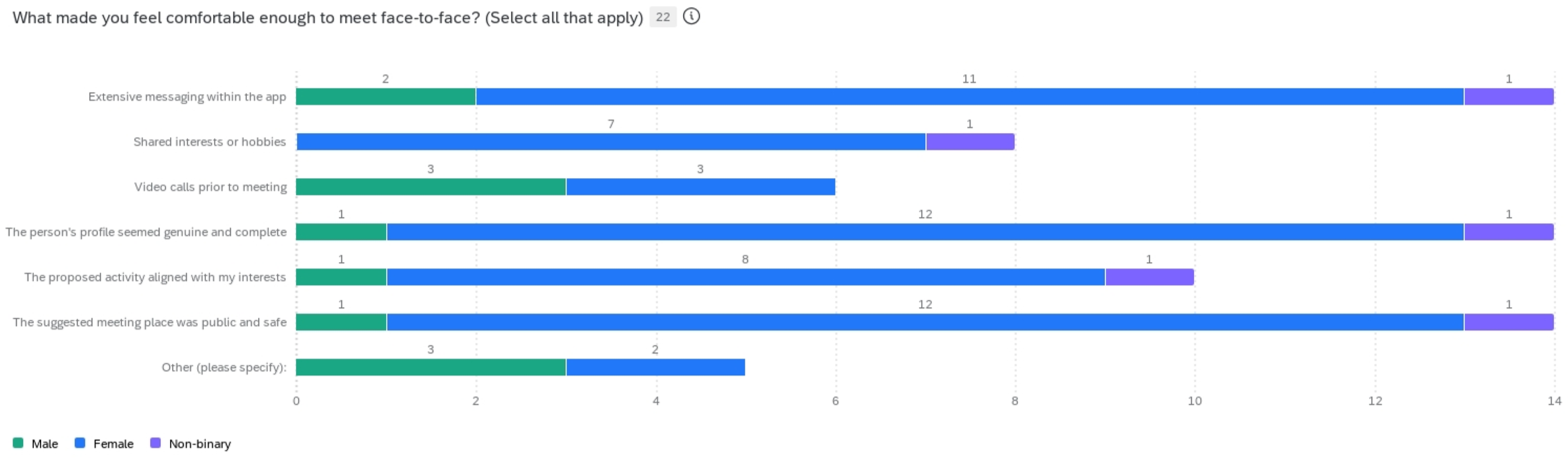
Survey results: factors that enhance safety
Survey results: safety concerns
Semi-structured interview paired with user feedback session
-
I wanted to develop rich insights into the contexts and motivation behind specific attitudes and behaviors, specifically related to safety measures and practices in chatting and in-person meetups.
-
We could ask follow-up questions on why specific factors influence safety perception.
-
We wanted to gather first impression and seek clarify on value proposition and terminology.
-
We could receive comparable reactions across sessions (every participant see the exact same curated set of screens and flows in the same order).
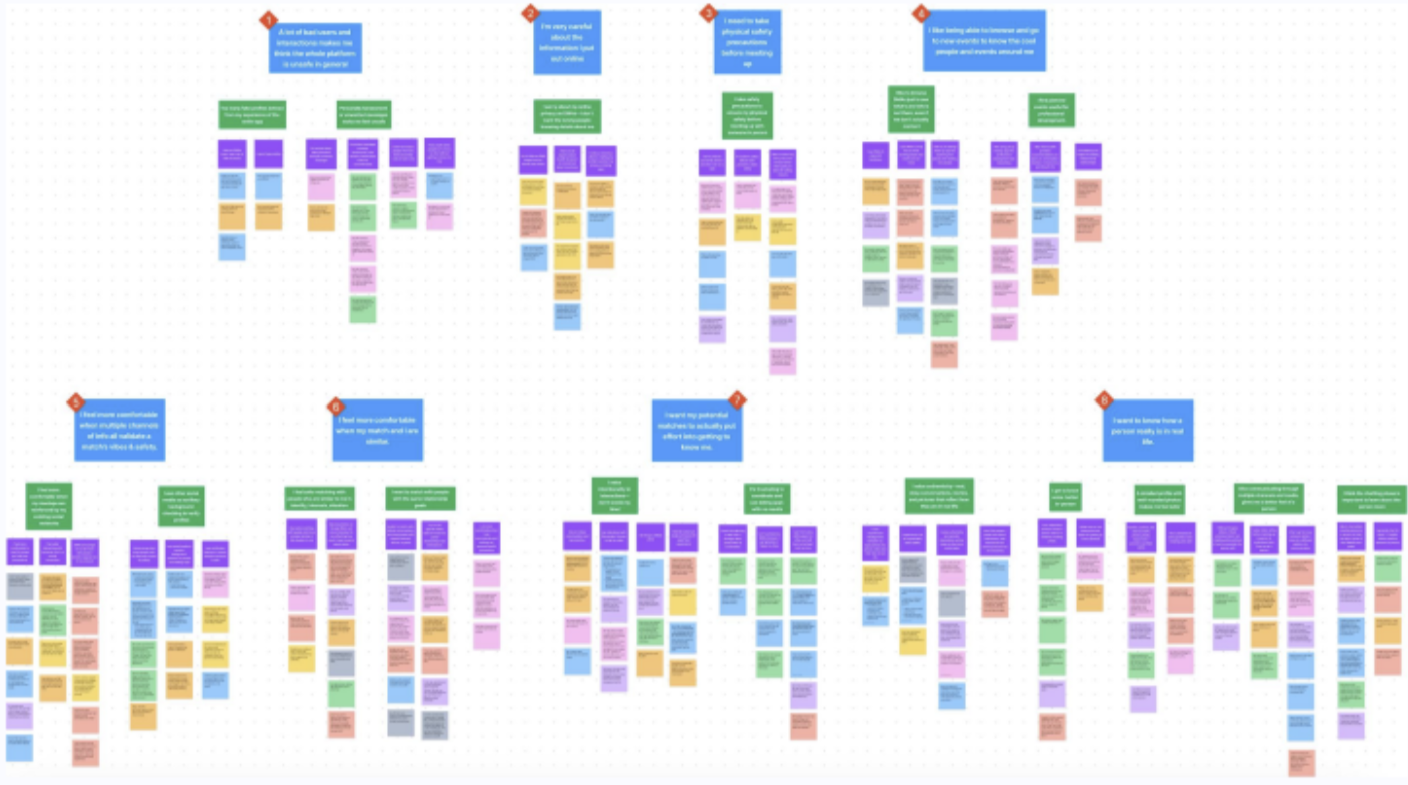
Affinity Mapping of Interview Data
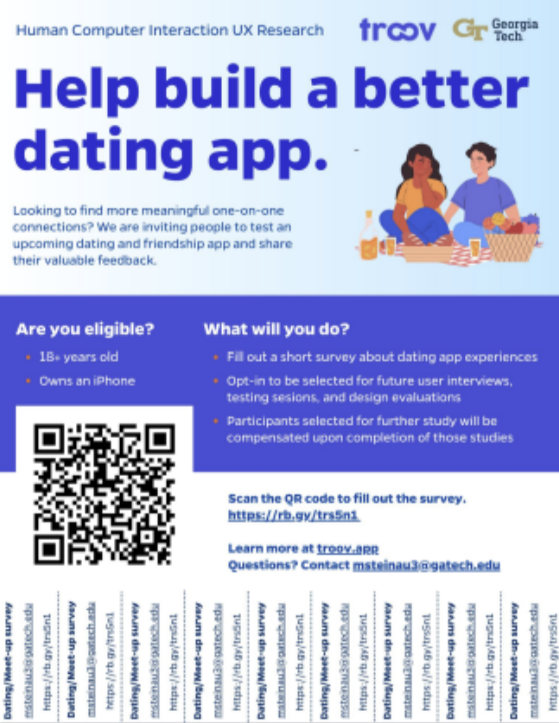
Recruitment flyer
-
Primary college students; They have a strong desire to know more people beyond the existing school organizations.
Recruit through our project poster distributed on campus and snowball sampling.
-
N = 54; But some dropped of the survey later; Female: 57% (28); Male: 39% (19)
Out of N = 44, 80% (35) are students
-
Survey questions were based on key research questions
-
Quantitative data: generated Qualtrics report w/ graph visualizations; I segment some data by gender to understand some nuances:
When gender is taken into account, female users are much more worried about physical safety when meeting their matches in-person.
Female users also report higher concerns about harassment and receiving unwanted messages on the apps.
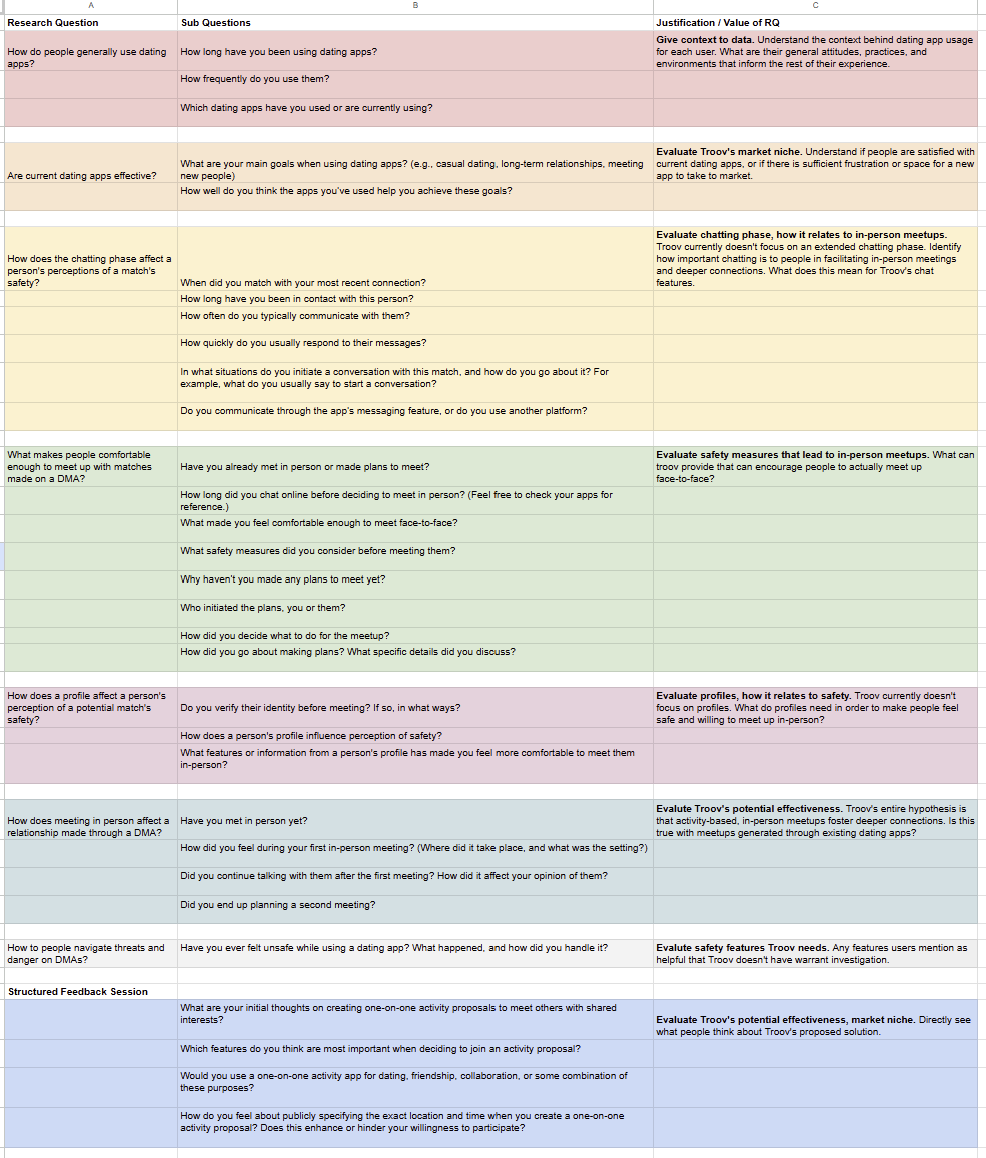
Interview and feedback session question rationale
-
Trust and safety concerns are the biggest barrier to one-on-one engagement
Icon and information architecture is a recurring point of confusion, reducing usability.
Users want more control and negotiation over event details, not fixed plans.
Filtering and profile depth needs are tied to intent (dating vs. friendship), a distinction the app doesn't yet make.
-
Recruit more men to understand their needs, which may differ from women’s.
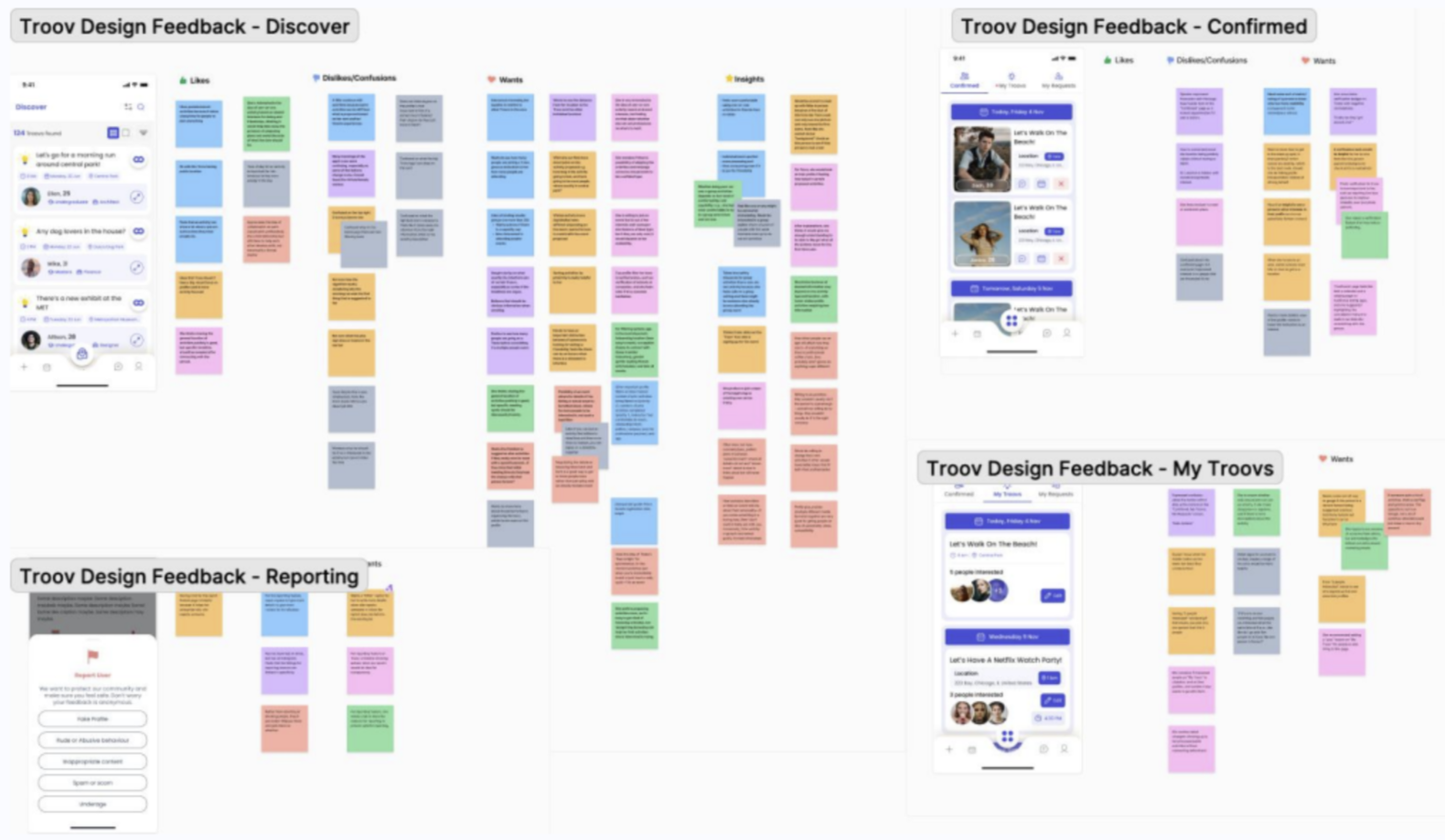
Affinity mapping of major user flow feedback data
-
9 students (1 male, 1 non-binary, 7 women) recruited through survey responses; recruited because their survey responses were informative and helpful (typed notes to bring qualitative insights). Incentivized each with $50. No screener questions.
-
Questions were formulated and centered around what safety precautions DMA users would take, how are their perception of safety, and factors that promote or discourage in-person meet-ups.
-
I first did thematic analysis, turning data into sticky notes. Then I did affinity mapping, grouping then giving a codes and creating 2 level themes. Analysis also includes notes from the app feedback session.
Major findings and design implications
Upon wrapping up our exploratory research, we synthesized 7 key findings across all methods, which bridge our problem space and translate into design requirements for designing for safety.
Findings
F1
F2
Users grow distrustful of a platform when repeatedly exposed to unsolicited or inauthentic content
Users highly value information about a potential match from trusted circles or external parties.
Users carefully curate their personal information online to protect their identities
F3
Users will only meet up in-person if they have multiple guarantees of physical safety at every stage
F4
Users feel safer when a match is similar to them in identity, interests, or goals.
F5
Users appreciate intentionality and genuine empathy in their matches.
F6
Users want to know how people behave in real life, outside of apps.
F7
↘
↗
DI5
⟶
DI1
↗
↘
↘
Validate Identity
(Verify physical appearance, occupation, or identity)
DI2
⟶
Prioritize Consent
(Always ask for consent before sharing identifiable information)
DI3
Suggest Caution
(Provide real-time safety recommendations and reminders so that both planning and in-person interactions prioritize safety)
DI4
↗
Provide Contingencies
(Recognize when users are heading to in-person meetups and give them a discreet way to alert external emergency contacts at any point)
Promote Intentionality
(Promoting sincere efforts to understand others)
DI6
Represent Character
(Allow profile to reflect someone’s personality across various social contexts, providing a holistic representation of their character)
Design Implications
Design Process
Ideation
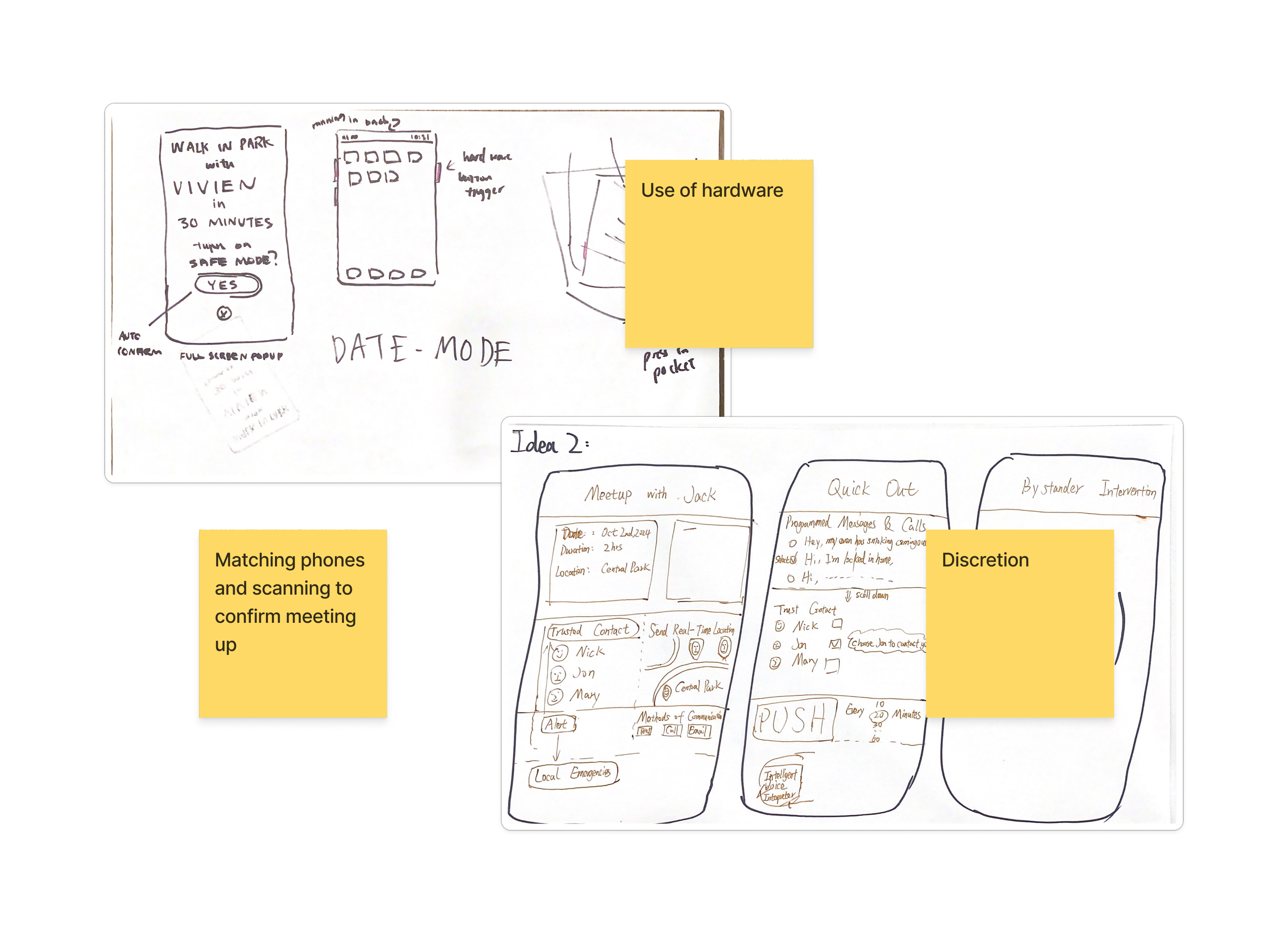
With the design requirements, each teammate sketched 2 concepts. We came up with 4 primary stages in our design.
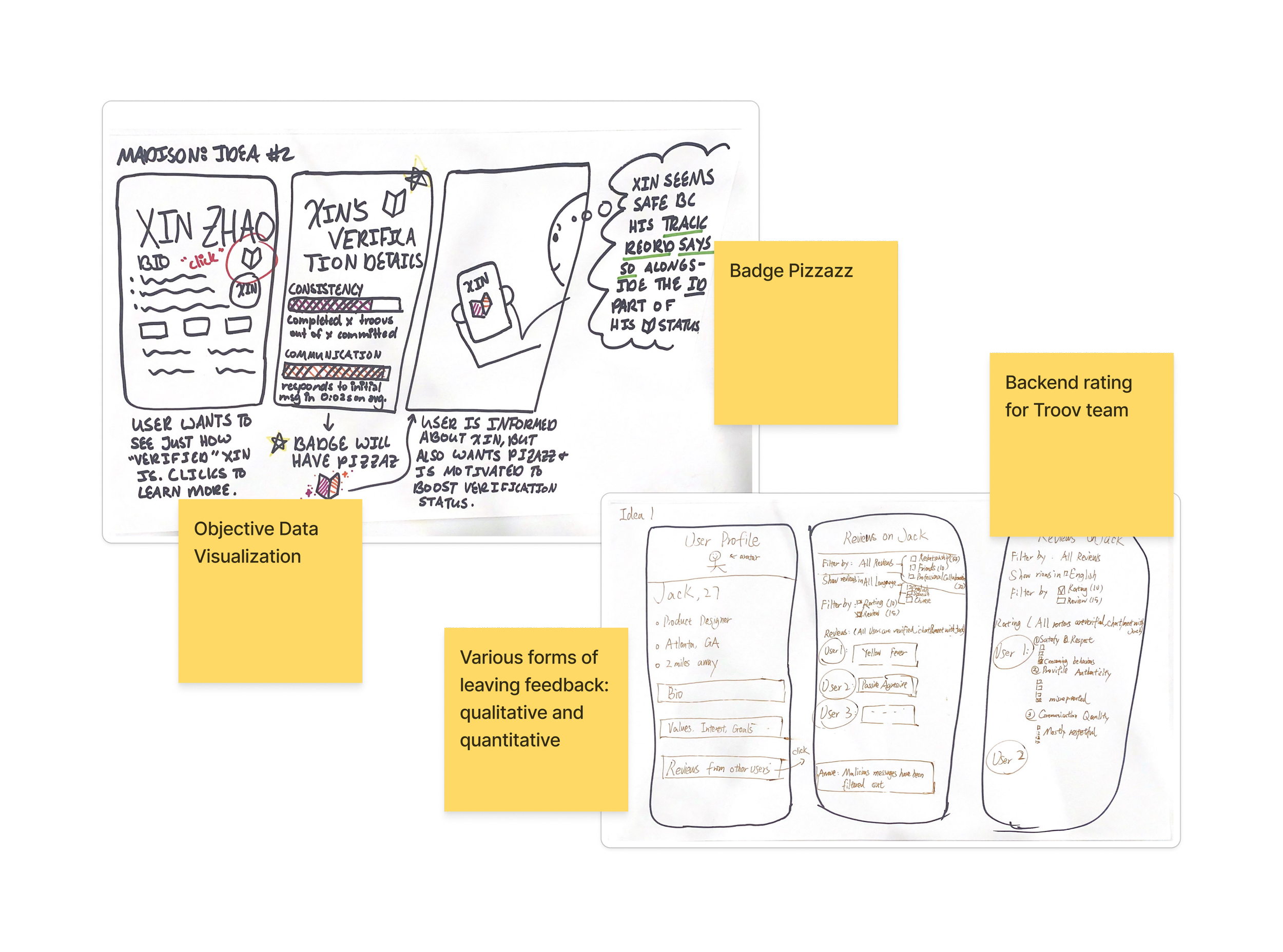
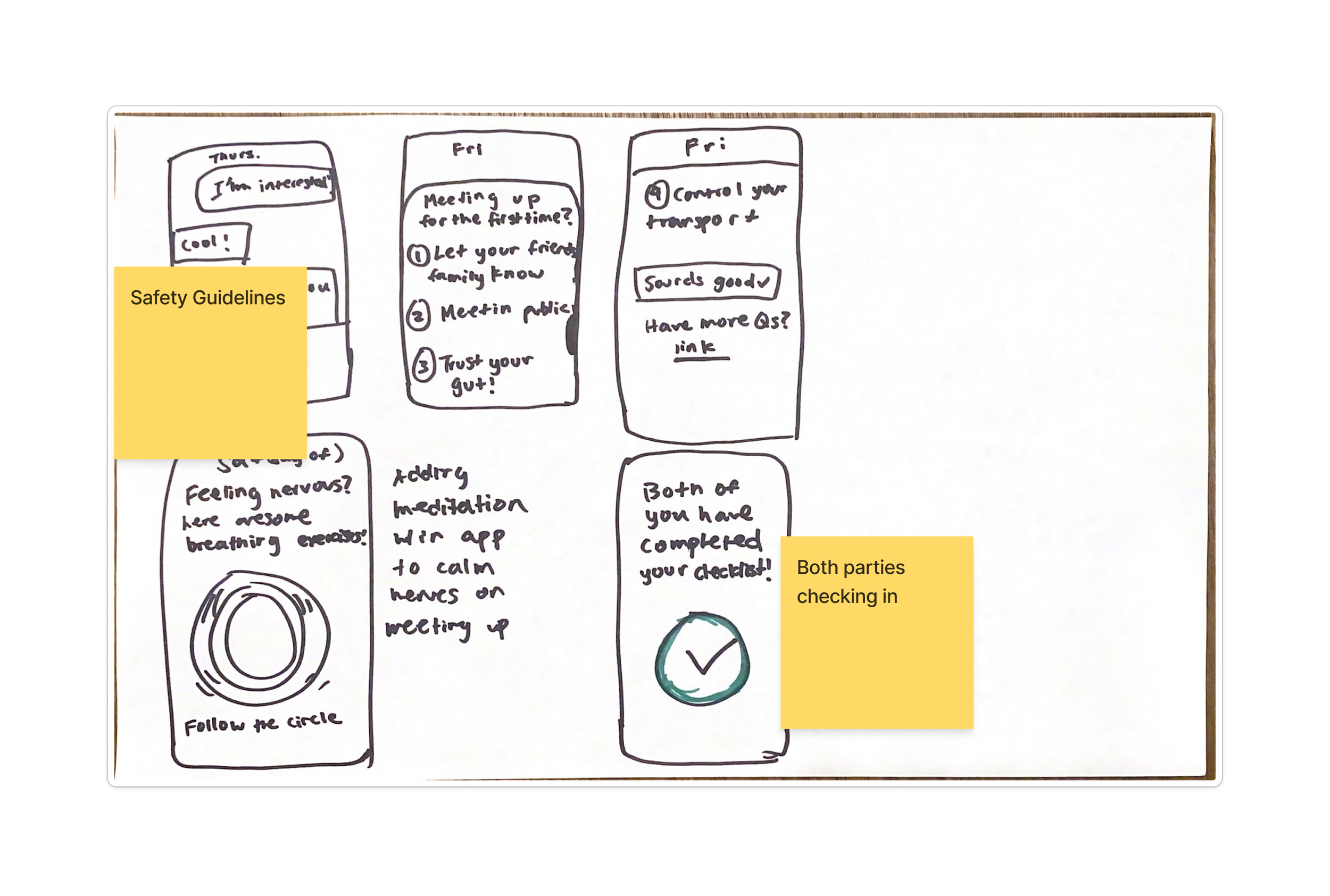
We organized the key features of each sketch by first creating and discussing a SWOT analysis of each sketch, then mapping out the priorities of each feature using this matrix
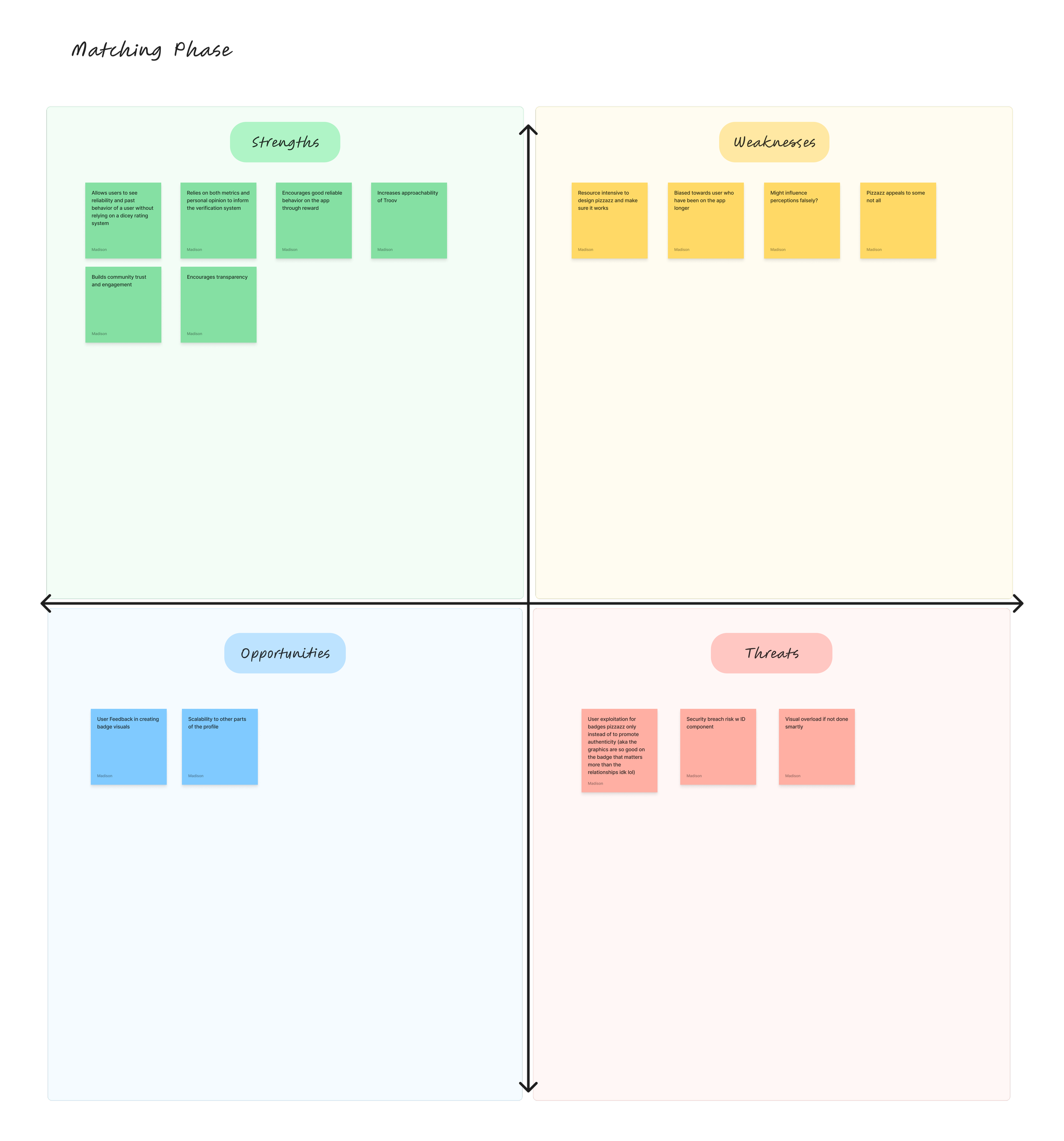
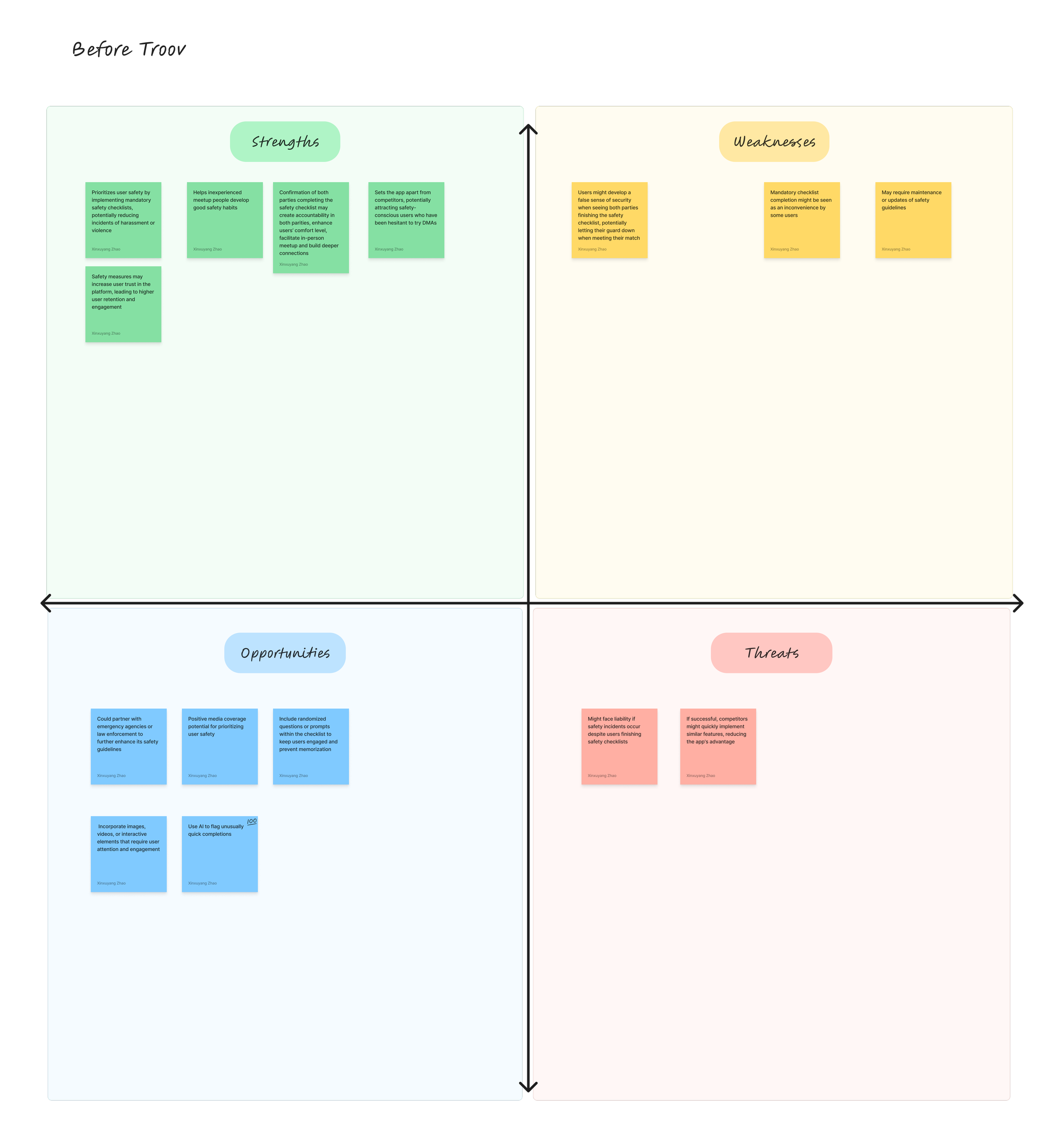
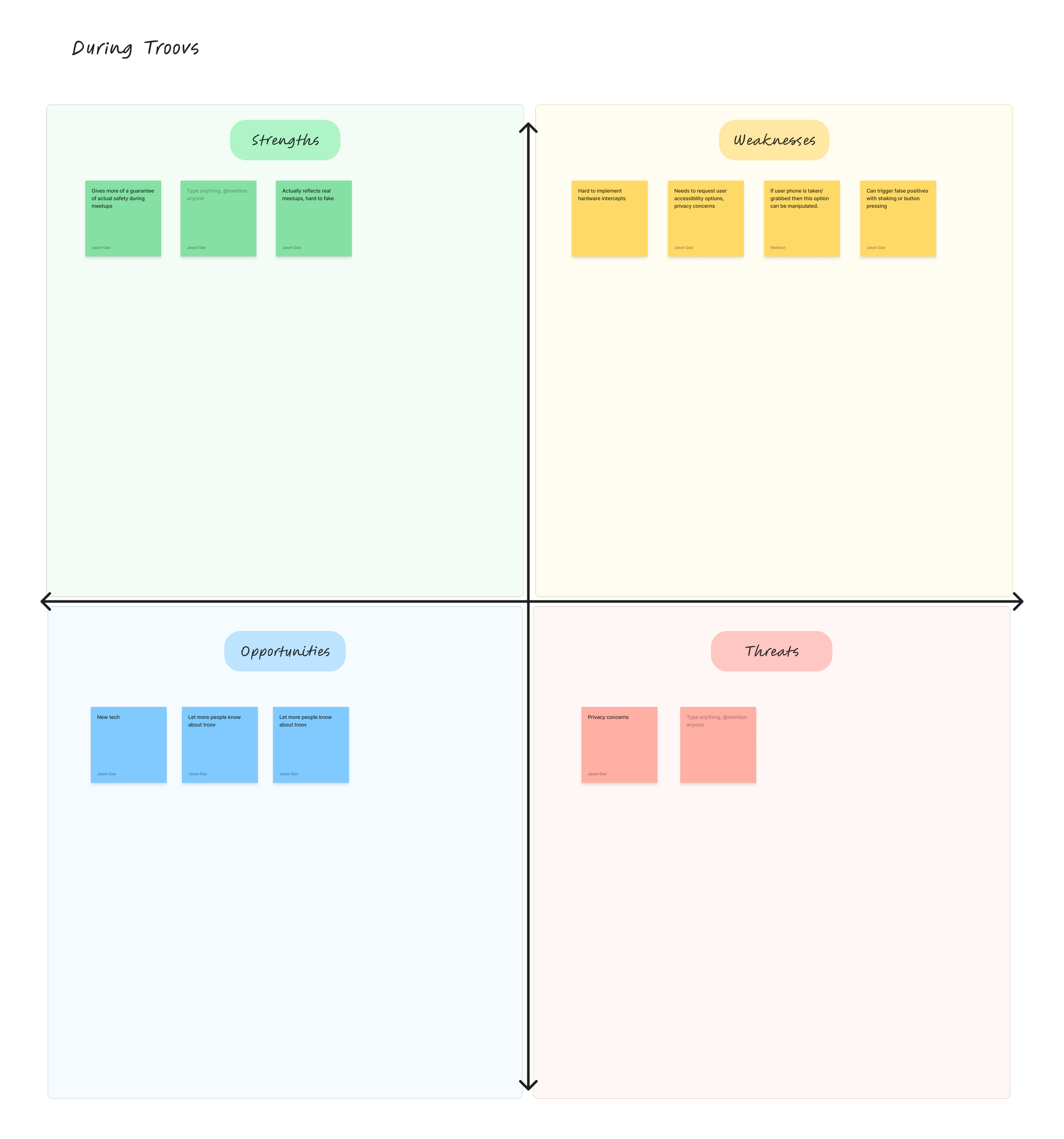
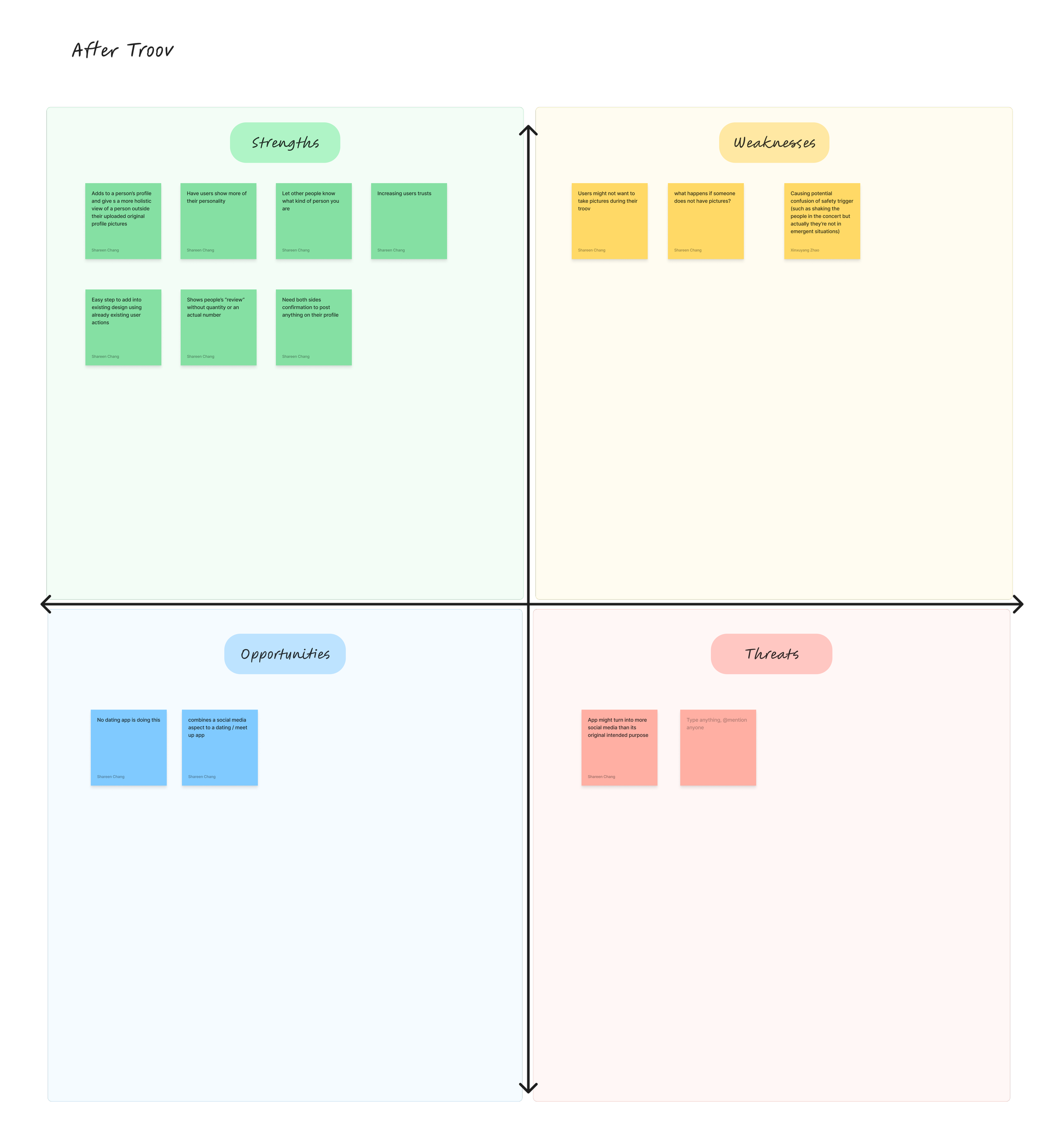
SWOT Analysis
Sketch and wireframe feedback analysis
Hi-fidelity Prototype
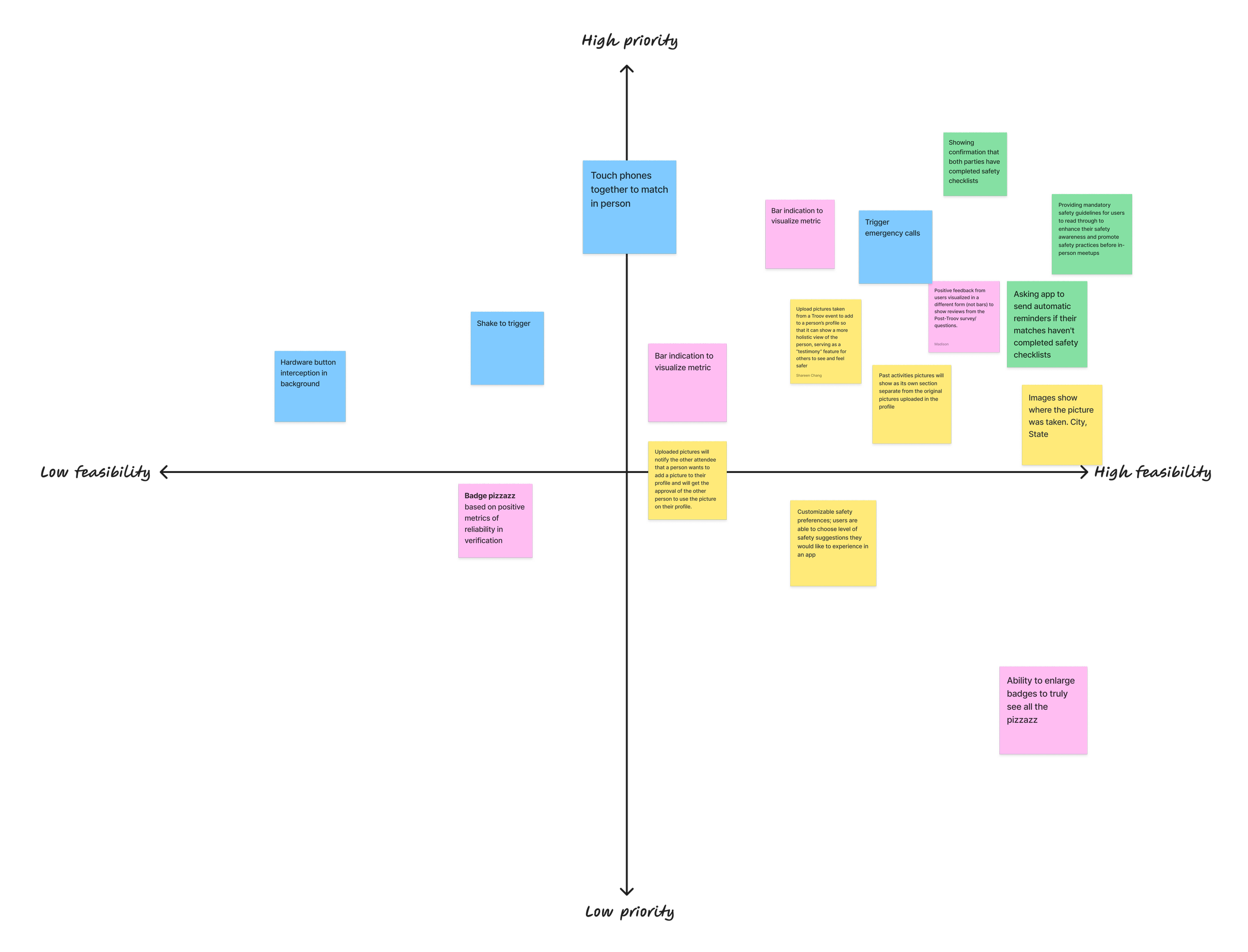
Priority - Feasibility Matrix
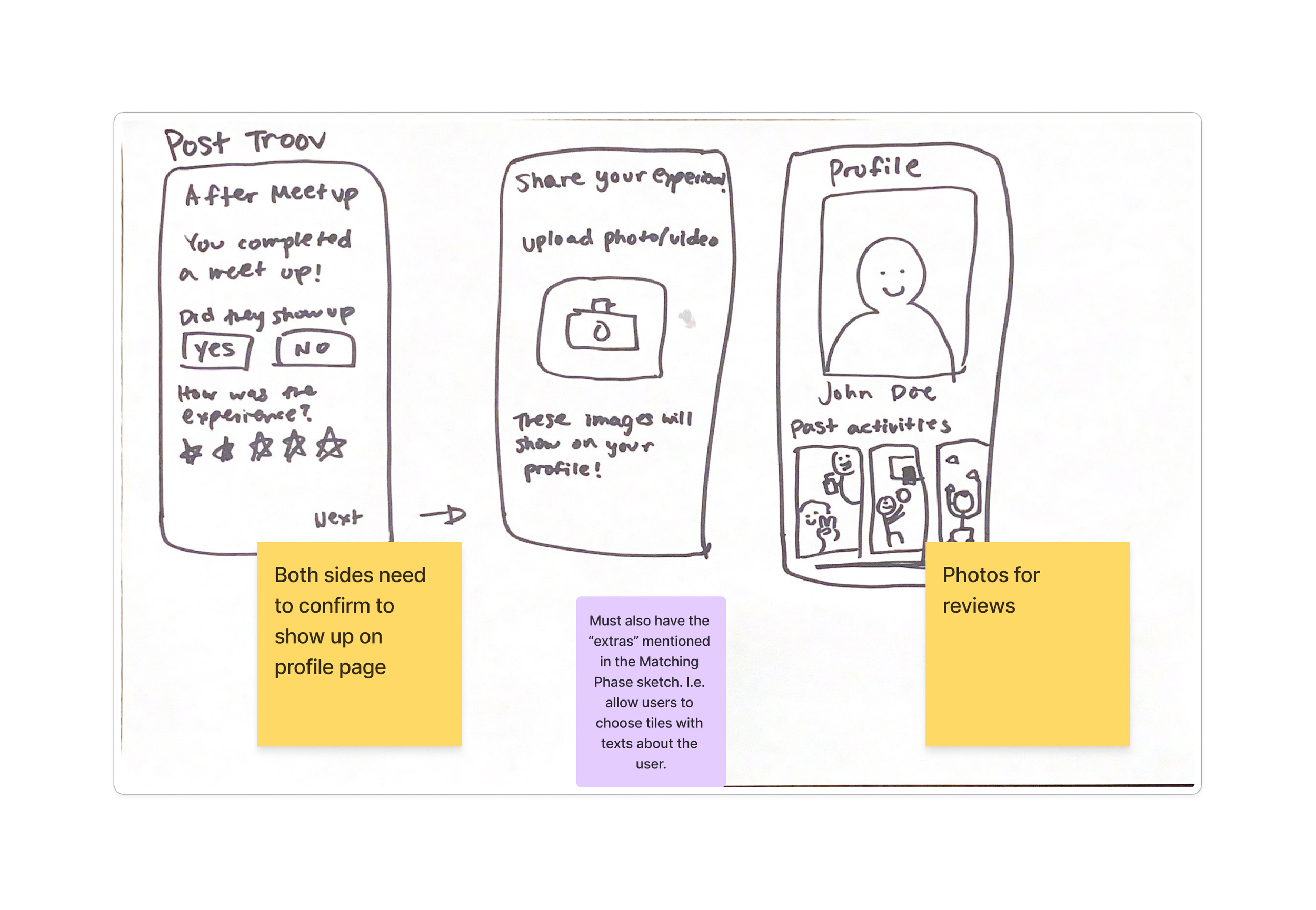
Brainstorming Session
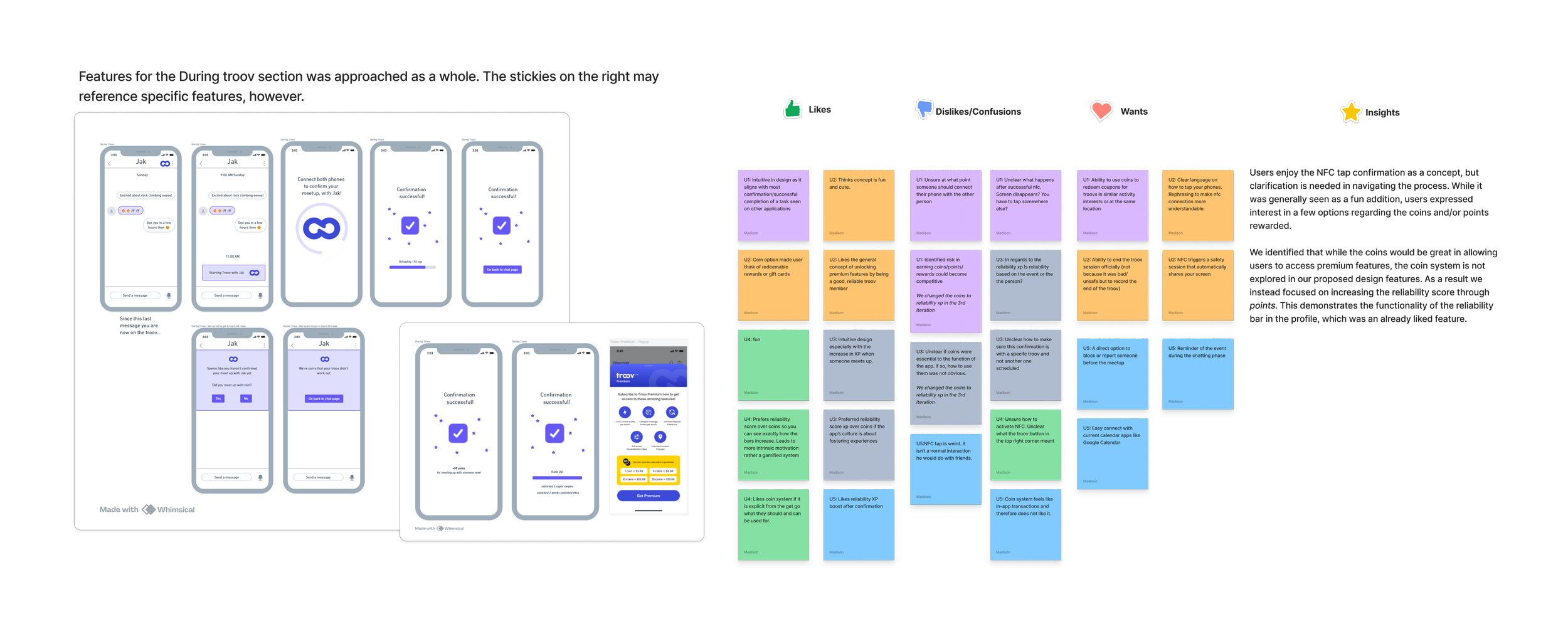
We evaluated our sketches and wireframes with both potential users and our stakeholder, which highlight the major usability issues our hi-fi prototype will address.
-
We wanted to collect feedback and refine features for the hi-fi prototype; guide users toward safety practice by understanding safety priority and accessibility.
-
For both the sketch and wireframe session, we analyzed the notes by likes, dislikes/confusions, and wants, generating insights into design implications for the hifi prototype.
-
Matching phase
Clarity distinction between general profile and safety-relevant user information
Display accurate bar metrics (show numbers of evaluators per rating tag)
Before Troov
Make the guide optional and offer actions (e.g., ride booking)
Suggest respect and etiquette considerations
Offer additional details for each safety top for clarification
During Troov
Make navigation to NFC confirmation screen clearer
Add a field for no-show users to explain their absence
After Troov
Refine reviews by offering an option to select multiple traits
Include positive and negative rating tags to provide balanced feedback
Enable users to respond to negative ratings with their side of the story
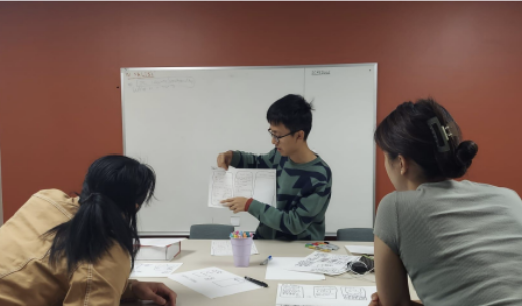
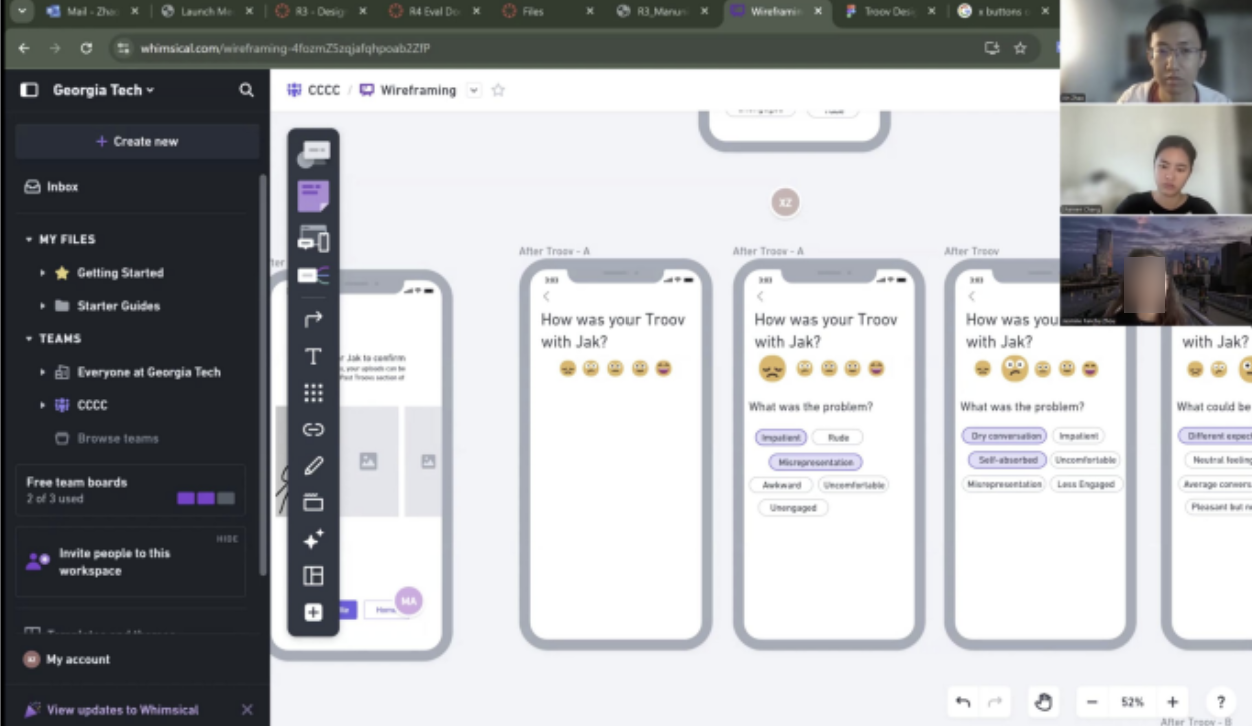
Wireframe feedback session
-
Must be 18-35 years old; must have safety priorities and concerns when using meetup apps; must be interested in the concept of Troov.
-
We explored perceived benefits, concerns, use cases, and detailed feedback on the intuitiveness, accessibility, and functionality of features.
With our designers finishing hi-fidelity prototype , we are able to test its usability, intuitiveness, and functionality.
Evaluative research
Heuristic Evaluation
-
We wanted to evaluate our prototype against established usability principles before putting it in front of users.
-
Experts can systematically catch where the design violates Jakob Nielsen's heuristics, and because each evaluator brings different experience, they surface a wider range of issues than any one person would alone.
-
The issues raised are expert judgments, so they reflect potential problems rather than the real friction users actually experience.
-
I would run the heuristic evaluation first and fix the major issues before usability testing, so testing time is spent on real user behavior instead of problems we could already predict.
-
Researchers overview problem statement. Experts then walk through task flows thinking aloud. At the end of each task, they rate each heuristics on a scale of 0-4 and wrote comment. Then researchers and experts discuss overall thoughts.
Moderated Usability Testing
-
We wanted to validate the design and identify usability issues to inform the next iteration of our prototype.
-
Moderated sessions let us give users context and build rapport, so they felt comfortable sharing pain points. They also let us ask follow-up questions to understand users' mental models and motivations.
-
Participants may behave differently when observed than they would on their own.
-
I would also run unmoderated usability testing to capture more natural behavior without the observer effect, and once the app is launched, validate these pain points against real usage data through web analytics.
-
4 users, 3 have experience with meetup apps, 1-2 hour guided session.
Researcher overview problem statement, participants walk through task flow thinking aloud. Researchers ask specific questions for each flow. Participants completed System Usability Scale at the end.
-
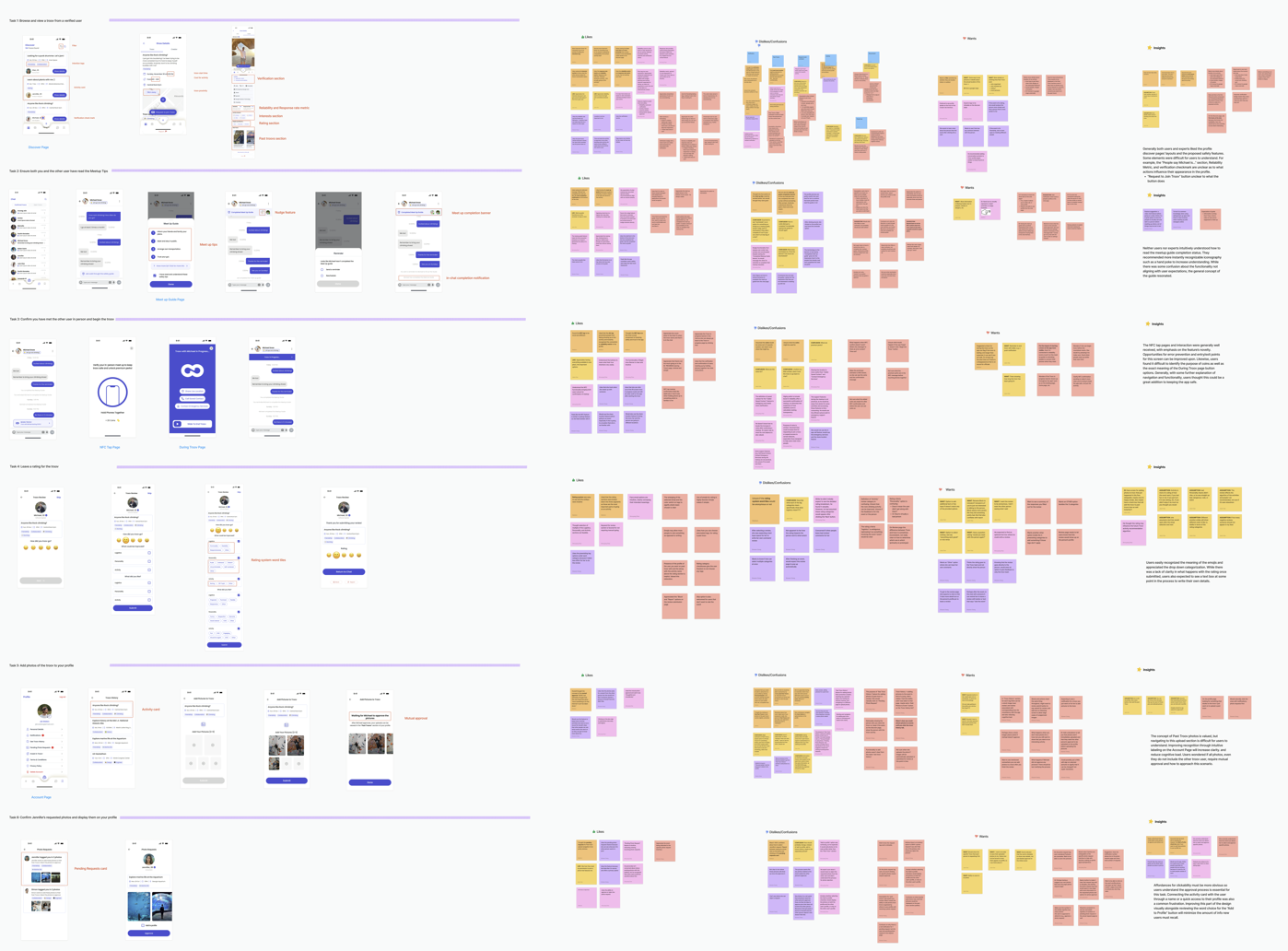
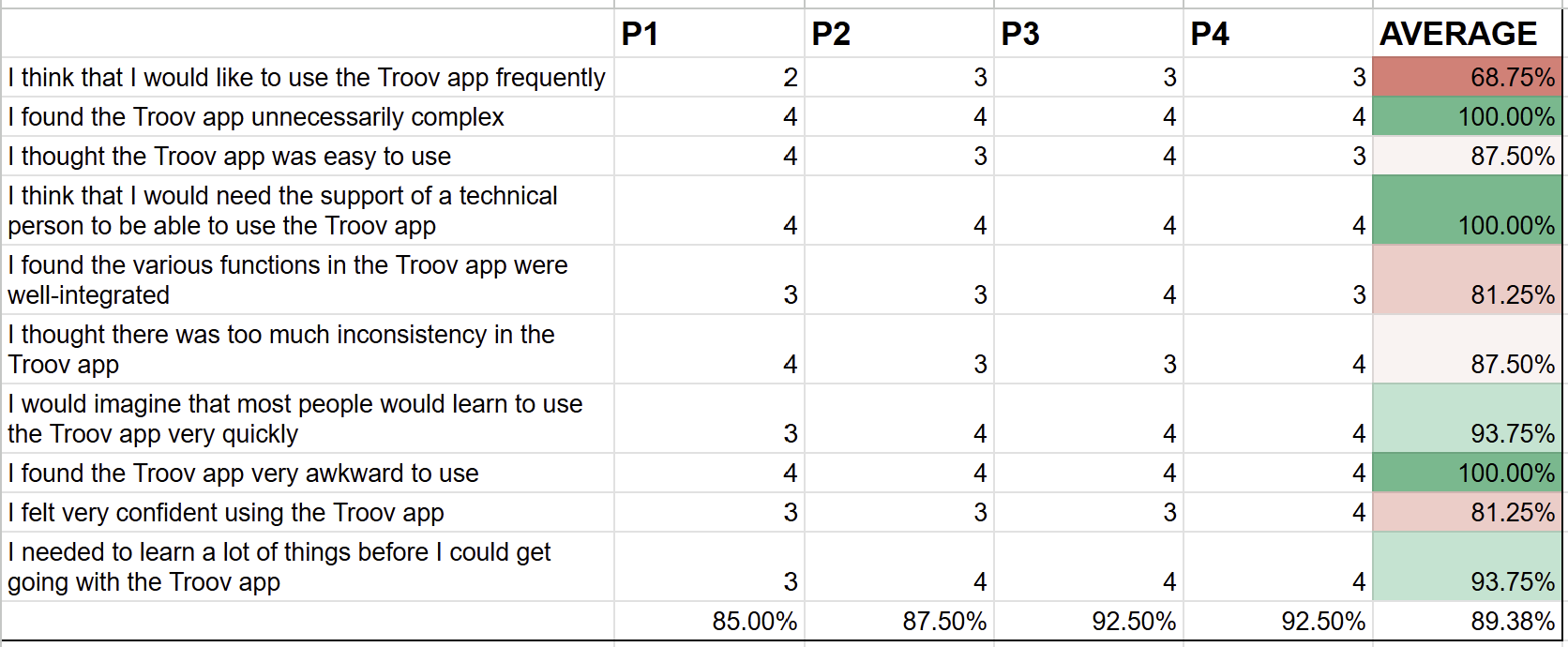
We affinity-mapped think-aloud notes into likes, dislikes, and wants, organizing confusions and wants by issue, page, and heuristic. We then averaged severity scores across steps, tasks, and heuristics into a heat map, and cross-referenced it with the affinity map to find the themes behind common issues. Finally, we averaged the System Usability Scale (SUS) to evaluate the design's overall effectiveness.
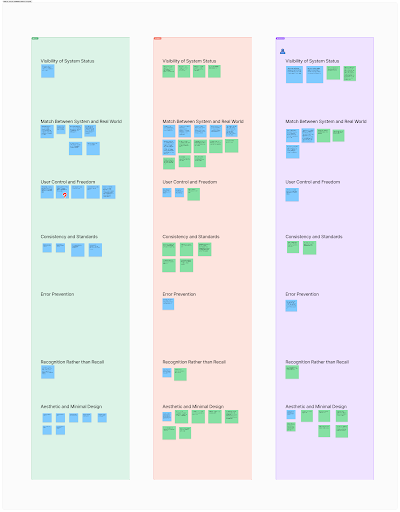
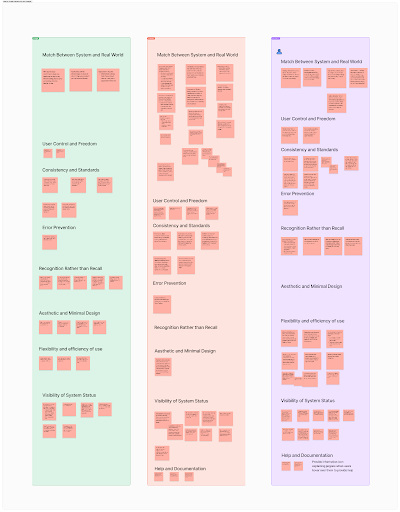
Affinity Mapping of Heuristic Evaluation Expert Coments
Affinity Mapping of Usability Testing Notes with Corresponding screens
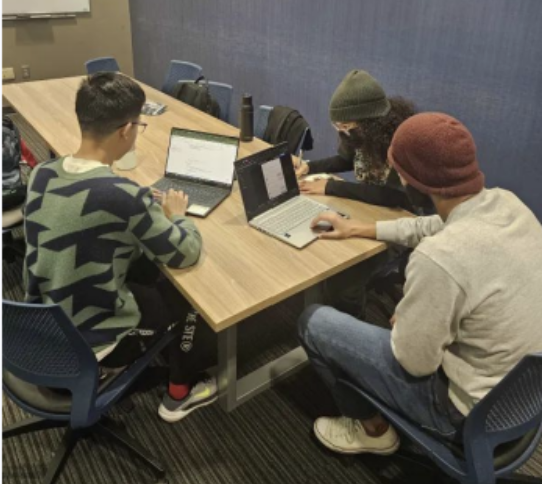
Heuristic Evaluation Session
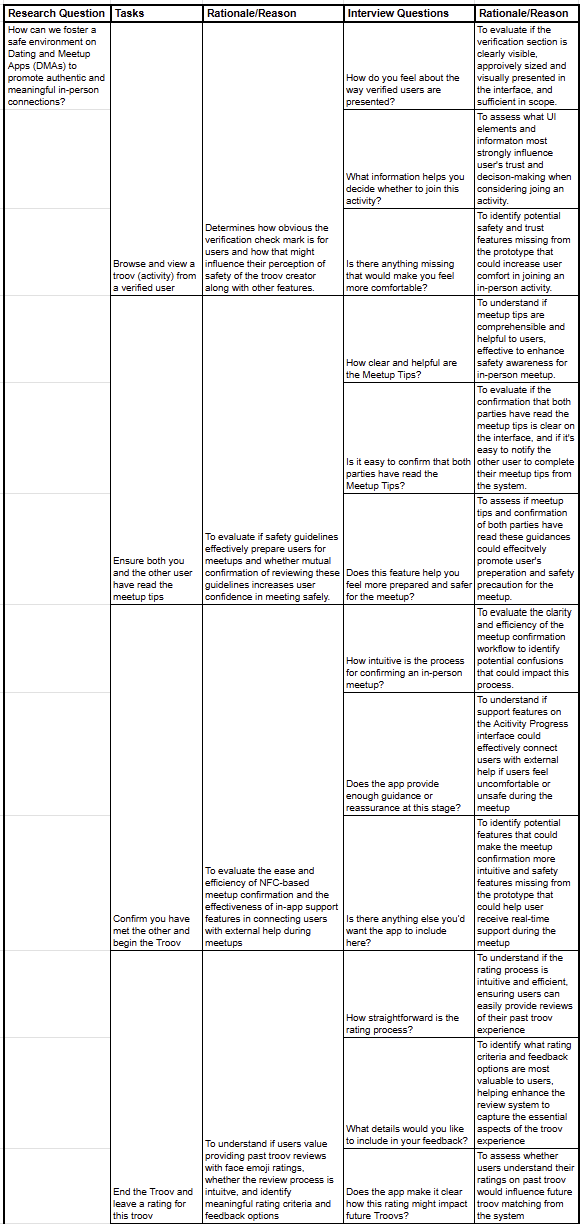
Usability testing question rationale
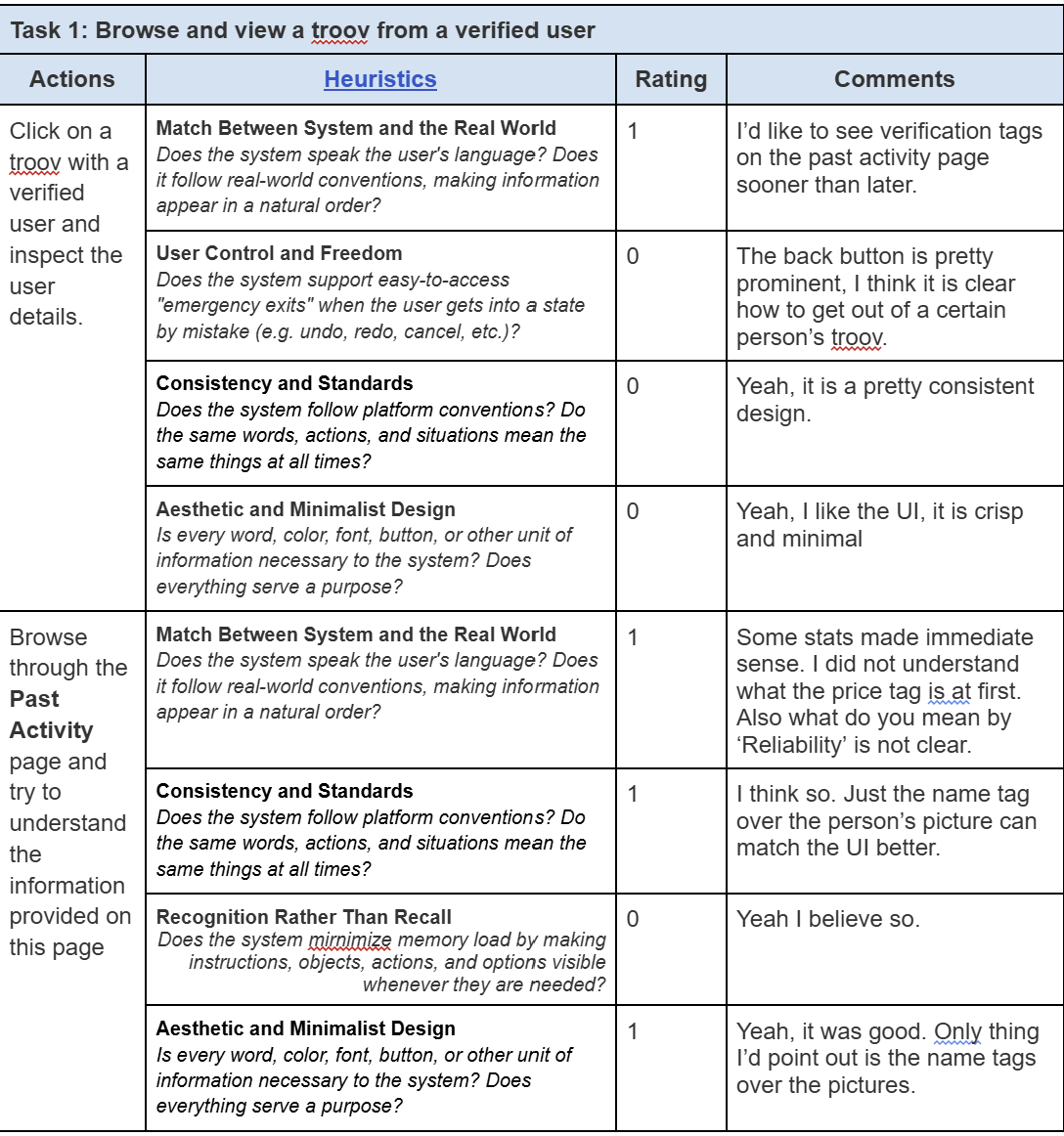
Heuristic Evaluation Worksheet
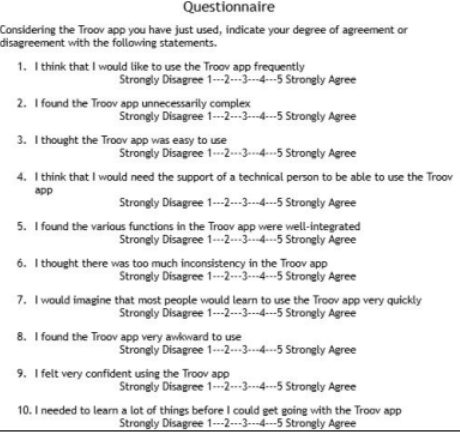
System Usability Scale Questionaire
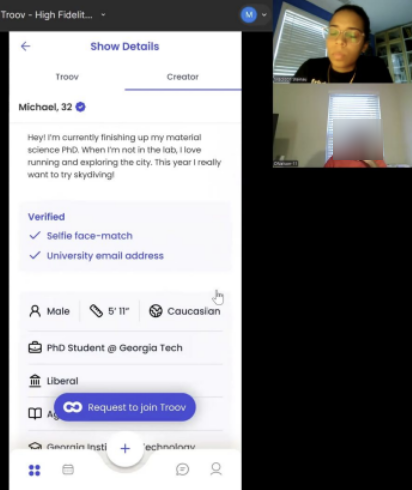
Moderated usability testing session
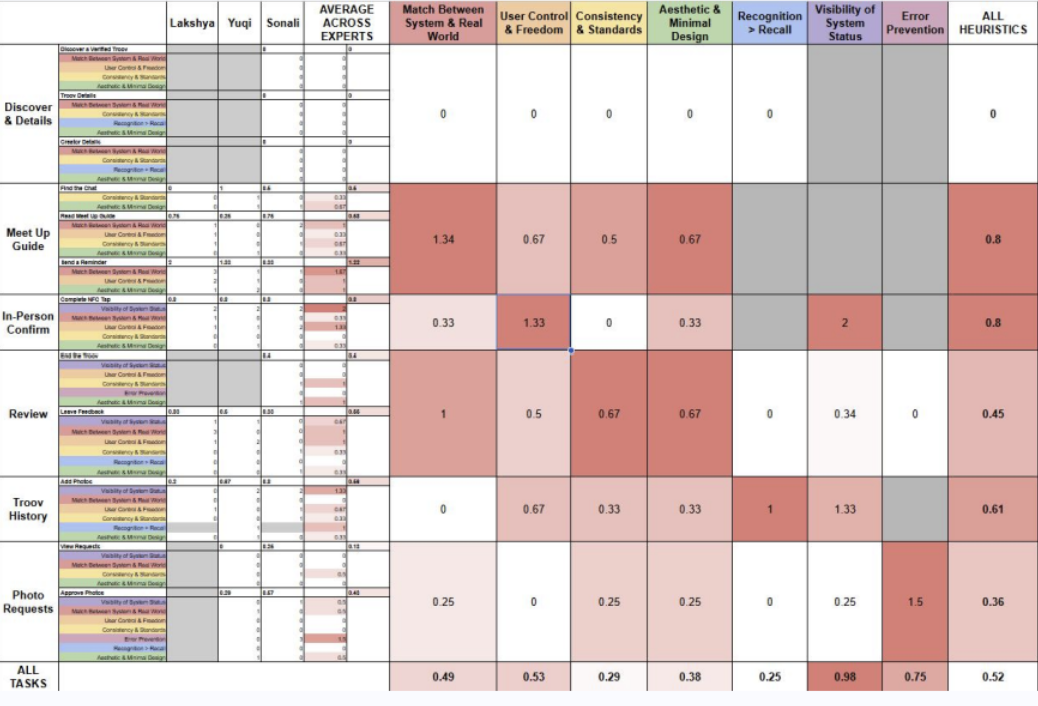
Heatmap of Heuristic Evaluation Severity Rating Results
System Usability Scale Results
Evaluation findings and design implications
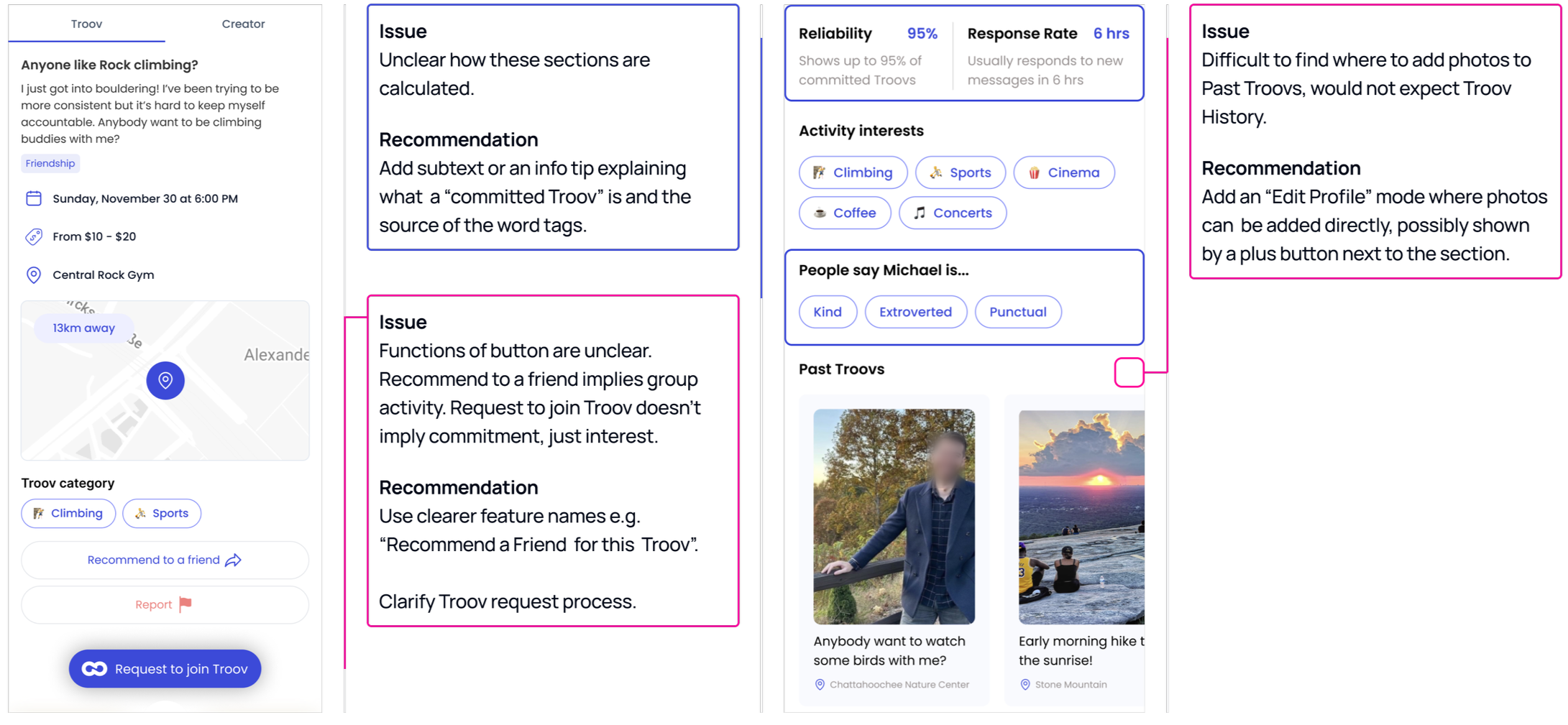
Example of evaluation finding and design recommendation
Findings
F1
F2
Users find impact and reasons of doing certain actions as not apparent.
Users interpreted features differently than the app intended
Users struggled to find core actions and exits.
F3
Users found it unclear how the app calculated the safety information it showed them.
F4
DI1
⟶
Give every meaningful action immediate, explicit feedback, such as confirmations, status labels, and short explanatory subtext
DI2
⟶
⟶
Rename features to plain, outcome-based language (e.g., "Troov Album") and add descriptive subtext where a few words can't suggest the meaning.
DI3
Make primary actions and exits discoverable and contain clear affordances (arrows, buttons), an obvious "edit/add photos" entry point, and predictable navigation controls.
DI4
Make the app's safety information transparent via adding info tips explaining how each number is calculated and why it matters
Design Implications
⟶
Impact+ Reflection
Impact: Increase the System Usability Scale to 89%; delivered 10 stakeholder-recognized safety feature recommendations
Reflection: The biggest thing I learned is that research doesn't speak for itself. You have to think about who's in the room and what's going to actually resonate with them. I learned that when someone pushes back, the best move is to get curious, not defensive.